Subchapter 3.9
Robot safety
We have summarized the most vital information about safety concepts for your robot application below. Learn how to prevent access to hazards, limit robot motion, and ensure safe human-robot interaction. Discover the significance of safety fencing, advanced detection systems, and the importance of planning collaboration workspaces.
Standards and essential rules for robot safety
Robots are incredibly versatile, offering economical automation solutions. However, they can also be quite dangerous
Large, hiqh-speed robots, may cause very serious injury by crushing and impact. Therefore, robot safety has been standardised internationally in (EN) ISO 10218-1 and -2 and for the USA in the almost identical ANSI/RIA R15.06. Additionally, a standard for mobile robots has been published with ANSI/RIA R15.08. Some vital safety rules are presented below.
Robot safety is build on three elements:
- Prevent access by people.
- Limit robot motion.
- Make physical contact safe.
The third element, making physical contact safe, is a relatively new concept, often referred to as collaborative robot operation. It means a specially designed robot system and an operator work within the same workspace or overlapping workspaces. First, the collaboration workspace and the desired human and robot interaction must be planned. Then, the risks are identified, and appropriate safety measures are implemented.
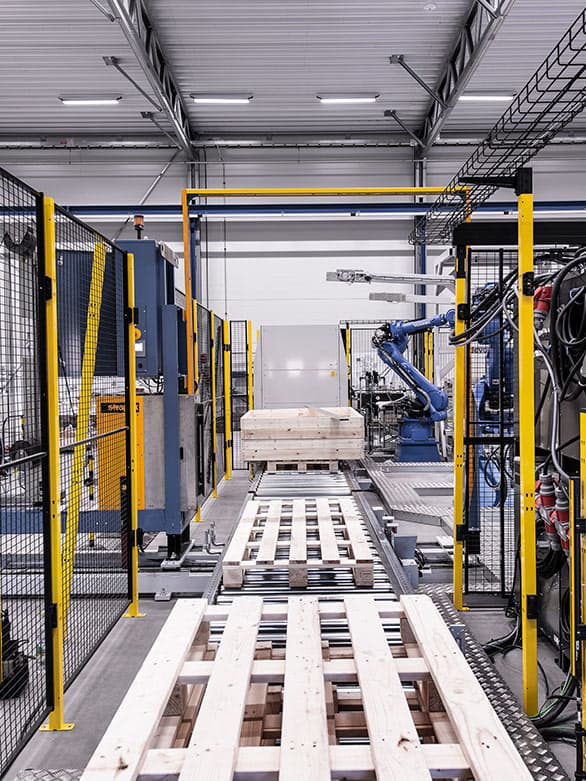
What is a “collaborative robot application”?
For some years, much enthusiasm has spread in the industry around “cobots” a shortform of “collaborative robot”. Interestingly, the term has never been welcomed by robot manufacturers, nor has it ever appeared in safety standards.
The term “Cobot” is often associated with the mistaken idea that there is a type of robot that operates safely in practically any given application without additional measures. But such robots do not exist in the real world.
To counteract the false notion, the brand-new versions of the international robot safety standards (EN) ISO 10218-1 and -2 speak of “collaborative application” showing that there is more to it than just a special type of robot. The standards also introduce a robot classification system and detailed requirements for risk assessment and safety measures to be taken in collaborative applications.
In a collaborative application a robot can interact directly with operators. This may include physical contact during which the robot could pinch, shove or hit the operator. To ensure this will not result in injury, the robot motion speed and force must be reduced.
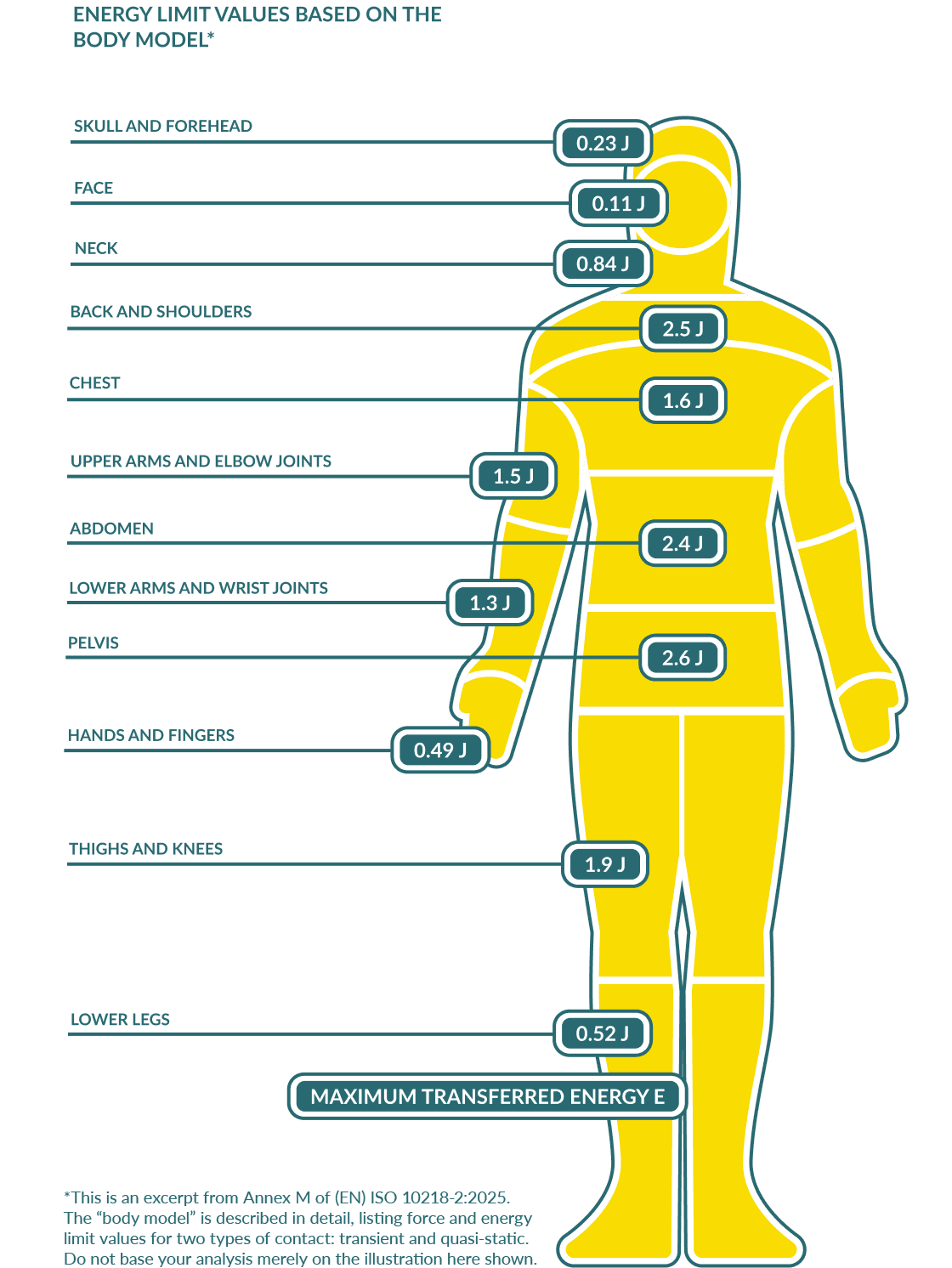
(EN) ISO 10218-2:2025 now includes a description of the so called “body model”. It defines limit values for force per square centimeter and energy limit values in Joules for different body regions. Very low values apply to the head region – eyes, ears, face, neck, and temples are very sensitive to impact.
Despite the limited force, speed and impact energies exerted, the end of arm tool, the workpieces and the type of interaction must be analyzed to create a truly safe application.
Robot classes
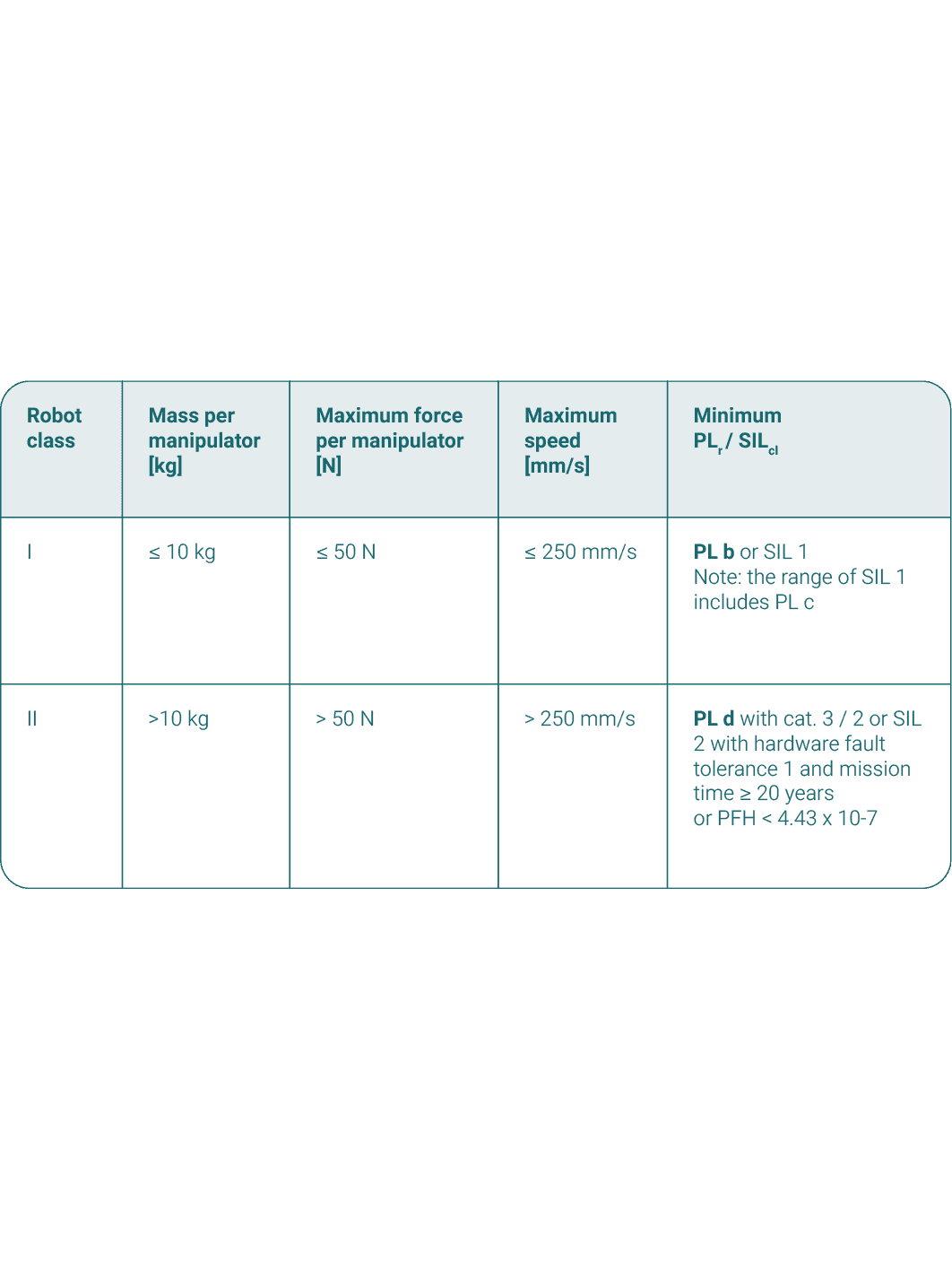
Industrial robots are categorized in two groups, class I and II. Class I industrial robots have low payload, move relatively slowly and exert only little force in case of impact. This makes them suitable to operate directly around people.
Class I robots have to meet tight limits regarding weight, force and maximum speed. If they do, their control system safety functions need to reach a reliability level of PLr = b or SIL 1 only as opposed to PLr = d or SIL 2 for class II robots.
The low force and speed make it possible to allow direct contact between the robot and people. “Transient” and “quasi-static contact” may cause pain but not injury to operators.
But force and speed are not the only factors determining risk. The “end effector” or end of arm tool plays a vital role. It could be pointed, sharp edged or hot. Applicators could spray, apply or inject poisonous materials.
Safety in collaborative workspaces
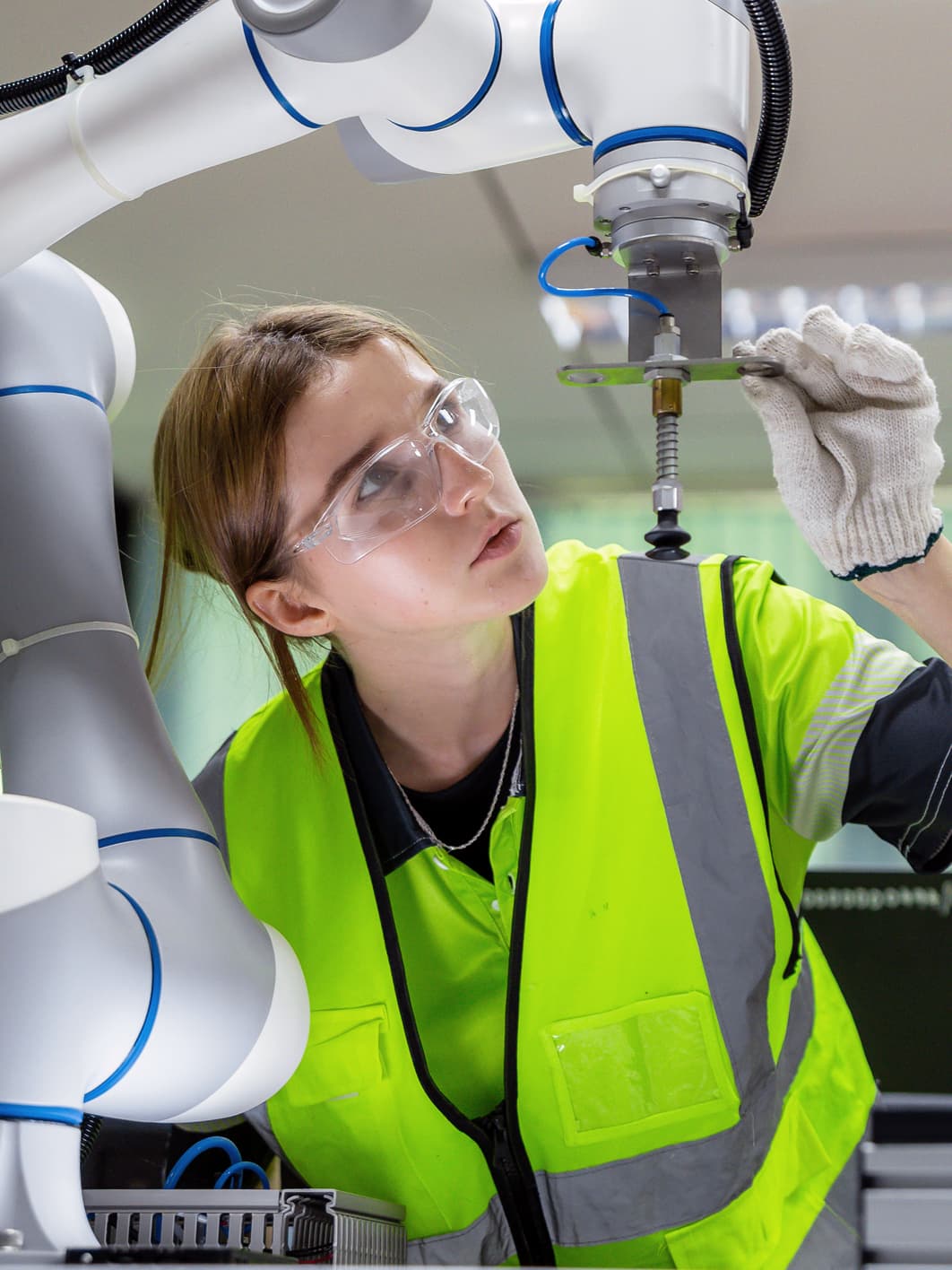
When a human operator and a robot share a collaborative workspace, safety is determined not only by the robot but by the combination of tools, workpieces and tasks to be carried out by the robot and the person.
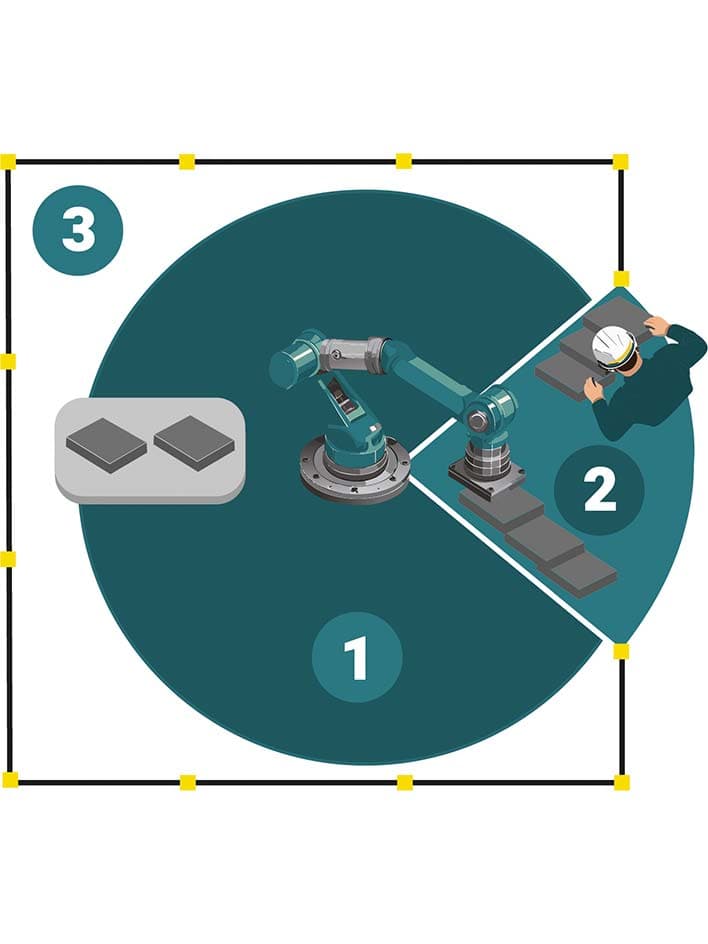
In many applications there are non-collaborative and collaborative operations. For part of a process the robot works by itself at higher speed and force. But then it approaches a pick and place station at which a person is working. The transition phase can be hazardous.
Three safety functions are available:
HGC – To train robots, hand-guided control is often used. The robot's moving parts are energized but can be moved manually to the desired locations – a pick and place station, for instance. The robot’s control system prevents any hazardous “surprise moves”.
SSM – Speed and separation monitoring features sensing equipment that detects a person entering or leaving a collaborative workspace. The robot will slow down and/or stop in time. After the person has left or is a safe distance away from moving parts, the robot continues operating.
PFL - Pressure and force of possible contact can be limited. This is achieved by either an inherently “weak” and slow class I robot or by electronic safety functions.
Why collaborative workspaces may need fencing or barriers
System designers often imagine a collaborative robot application that has no boundaries and is “fenceless”. However, safety standards require that clear boundaries are set for collaborative operation of robots.
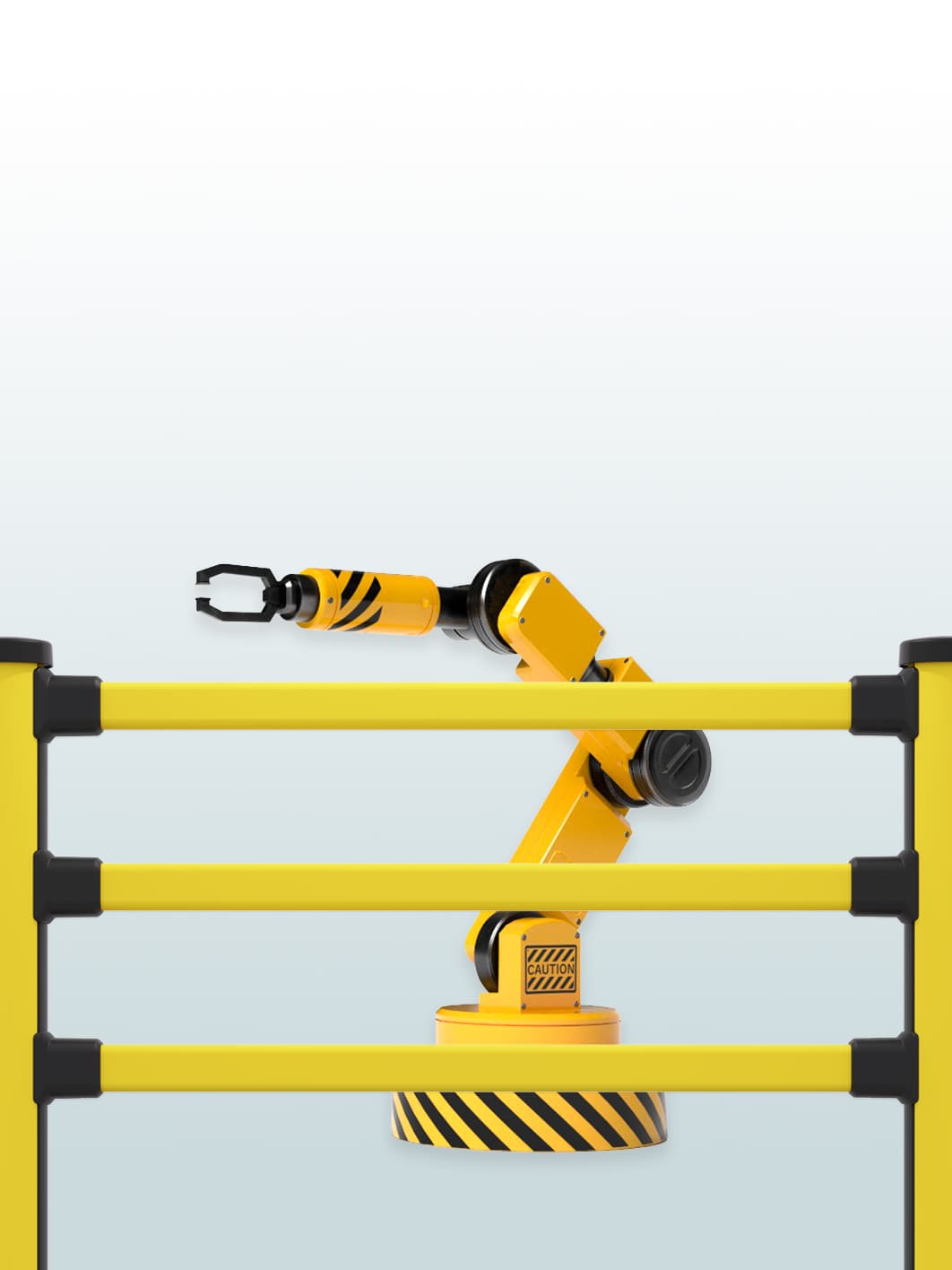
Fences or barriers may help define a “safeguarded space” without hindering collaboration.
A guard fence or pedestrian barrier may prevent people from walking into a collaborative workspace from the wrong side. It may also separate a collaborative workspace from walkways or drive passages.
A low “awareness barrier” may alert people to the fact that they are entering a potentially hazardous area.
Both may improve the efficiency of the operation, because the robot will have to stop less often because people come too close.
Risk assessment of collaborative robot applications
Even if a slow, low-force robot is used in a collaborative operating environment, the tasks and operations may involve hazards. Risk assessment is mandatory according to the applicable safety standards.
Follow these steps when assessing the risks of a collaborative robot application:
Step 1 – Determine the work objects
Step 2 – Select the end of arm tools
Step 3 – Determine the stationary equipment and other machinery needed
Step 4 – Determine the work operations of both robot and operator(s)
Step 5 – Find out how much space is needed and how much is available
Step 6 – Look for the hazards
Do not follow the standard approach of immediately looking for hazards. Risk in collaborative applications is a complex combination of moving machine parts and the unpredictable actions of humans. Consider typical behavior patterns like reflexes, surprise moves, distraction, misjudgment of situations, and deliberate deviation from instructions.
Three safety maxims should be followed in every case:
Do not rely (solely) on the robot’s low weight, force and speed.
To the extent possible, prevent both deliberate and involuntary contact between the robot and operators.
Avoid moving a robot at a height that brings grippers and other end of arm tools near the head or face of operators.
For a detailed description of risk assessment for collaborative robot applications see (EN) ISO 10218-2:2025 sections 4.3 and 5.14.
Robotic picking applications
Robots are increasingly employed to pick and place goods and packages to complete orders.
Palletizing is a longstanding application of medium-sized and large robots. More recently, smaller robots are used in collaborative picking and placing applications in a “goods-to-person” order commissioning scheme. These robots may interact directly with people because they move at low speed and force.
Risks from robotic order picking and safety measures that work:
Robots interfacing with conveying systems and packing stations may cause crushing and shearing hazards. Some robotic tooling may present hazards.
Safety measures: Although the injury risk is low, you may want to install low guard fencing to keep people away from such hazard locations.People walking needlessly into a “collaborative space” may be hurt by an unexpected movement. They may also cause the robot to stop frequently, thus interfering with the efficiency of the operation.
Safety measures: Install low fencing, pedestrian barriers or lower “awareness” barriers to alert people to areas they should not enter and determine from which side the collaborative space should be accessed by workers.
Industrial robot safety
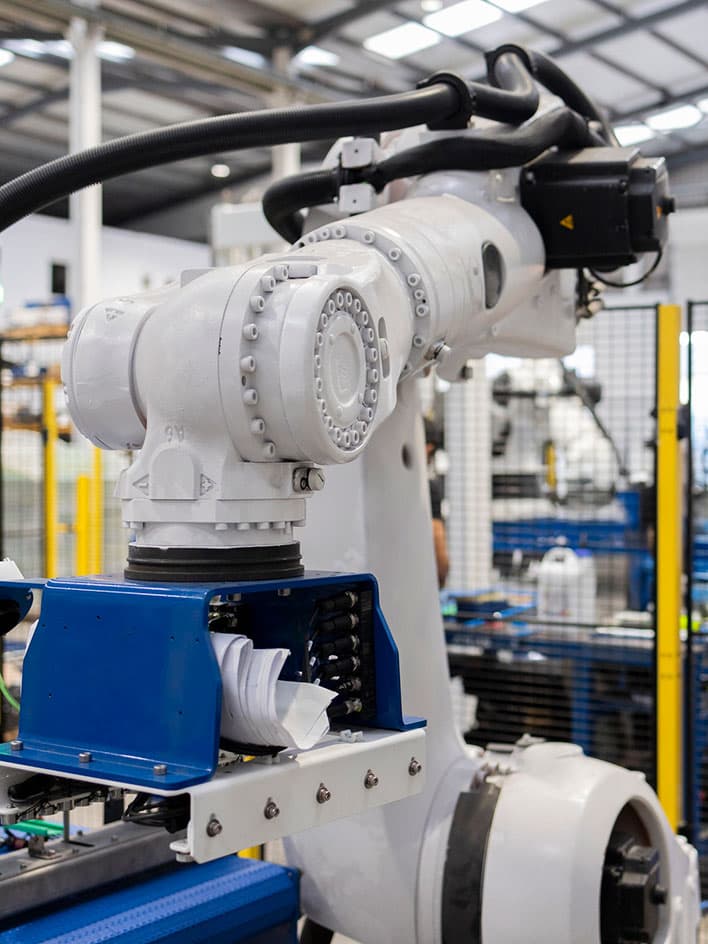
Robot safety largely depends on closed "cells" with fencing and access doors. But in many applications monitoring systems are additionally needed or may even replace the robot "cage".
Advanced detection systems:
- In many robot cells, a combination of safety fences with doors, light barriers, and range scanners is used.
- The most advanced form of detection system is a 3D-camera. It needs to be installed at a sufficient height above the workspace to ensure it “sees” all the areas in which persons may move.
Beware of persons remaining inside the hazard zone behind the detection devices. If that is possible, additional safety measures may be needed.
Safe zones for robots
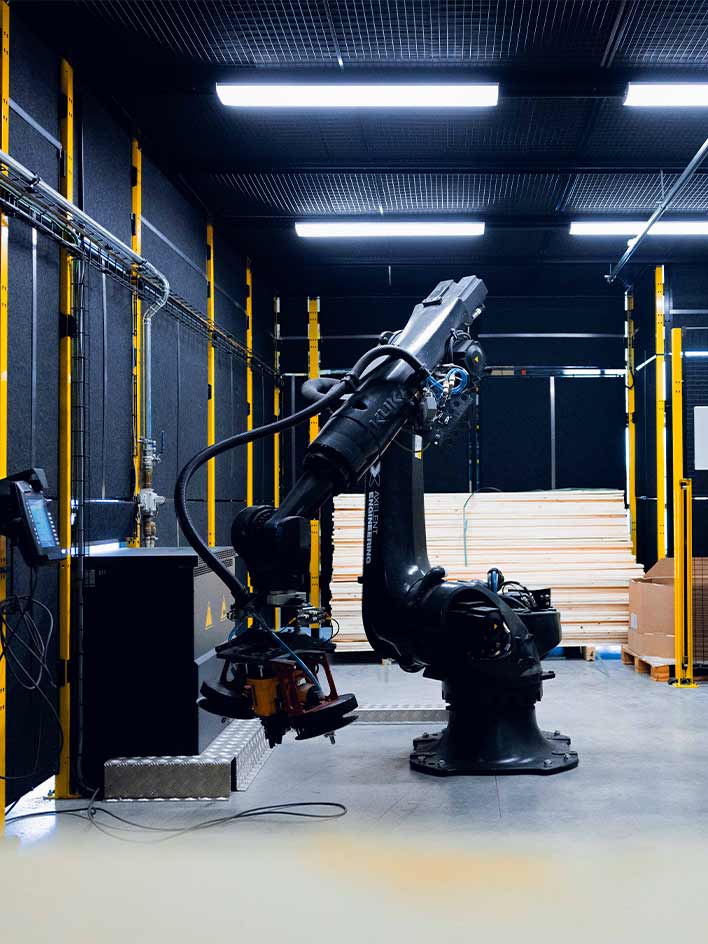
Guard fencing may be used to create a “safeguarded space” but it must not normally be used as a “limiting device” defining the “restricted space” or to stop robot motion. What is the difference?
To achieve safety, a robot’s motion range must be limited to a so called “restricted space”. This can be done by means of “mechanical limiting devices”. Mechanical limiting devices are massive blocks or pins installed on the robot mounting plate or at the joints of its main axes.
However, some designers consider guard fencing for use as a “mechanical limiting device”. That is not a good idea. When a large and/or fast robot collides with a guard fence, the fence will swing back and forth and, in many cases, will be deformed permanently. This may result in hazard to people outside the robotic cell.
(EN) ISO 10218-2:2025 in section 5.7.4.2 strongly discourages this use of guard fencing as a “robot catch”: “The perimeter guard shall not be used as a limiting device when robot applications can cause hazardous deformations of the guard.”
Perimeter guards like fences are meant to keep people out, not the robot in.
To limit robot motion better use
safety-rated motion control hardware and software offered by the robot manufacturer
electromechanical or proximity limit switches
solid hard stops offered by the robot manufacturer (blocks and pins)
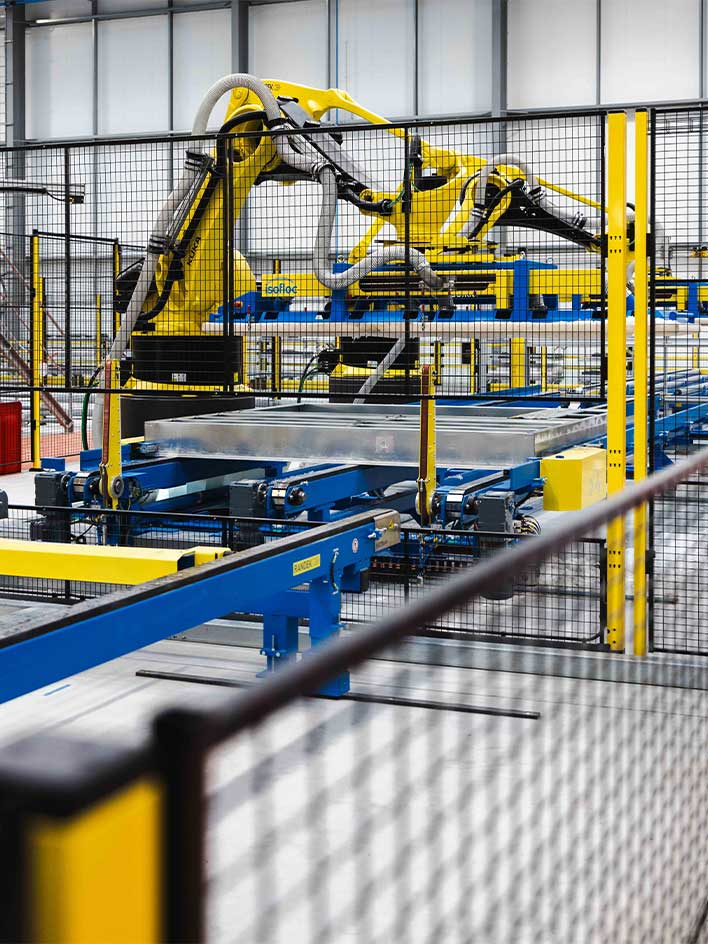
“Robot-safe” fences – concept or misconception?
Many people ask for “robot-safe” fencing or point to test results of fence manufacturers showing impact resistance of 2000 joules or more.
A robot’s motion range – the “maximum space” – depends on its size. System designers try to use as little expensive floor space as possible. To achieve that, the robot is programmed to operate in a much smaller “operating space”. Around that the application designer must create a “restricted space” that the robot cannot leave. It is provided to ensure the robot has enough space to slow down and stop.
Guard fencing and other protective devices create a “safeguarded space” that people cannot not enter during operation. It must be even larger than the “restricted space”. Even if faults occur, the robot must never move beyond the safeguarded space.
Thus, a robot is enclosed by three spheres of increasing size
operating space (A), where the robot works
restricted space (B) that the robot must not be able to move beyond
safeguarded space (D) that people must not enter and the robot must never reach
How much distance should you plan for between the “restricted space” and external guard fencing? Wire-mesh guard fencing allows sticking fingers through. To ensure people doing that are not hurt by the robot, an additional safety distance (C) of at least 120 mm is needed inside the cell between the “restricted space” of robot motion and the guard fencing.
Thus, guard fencing does not need to be designed “robot safe” because it is not meant to stop motion of the robot. In fact, the robot must stop a good distance away from the fence, even if faults occur.
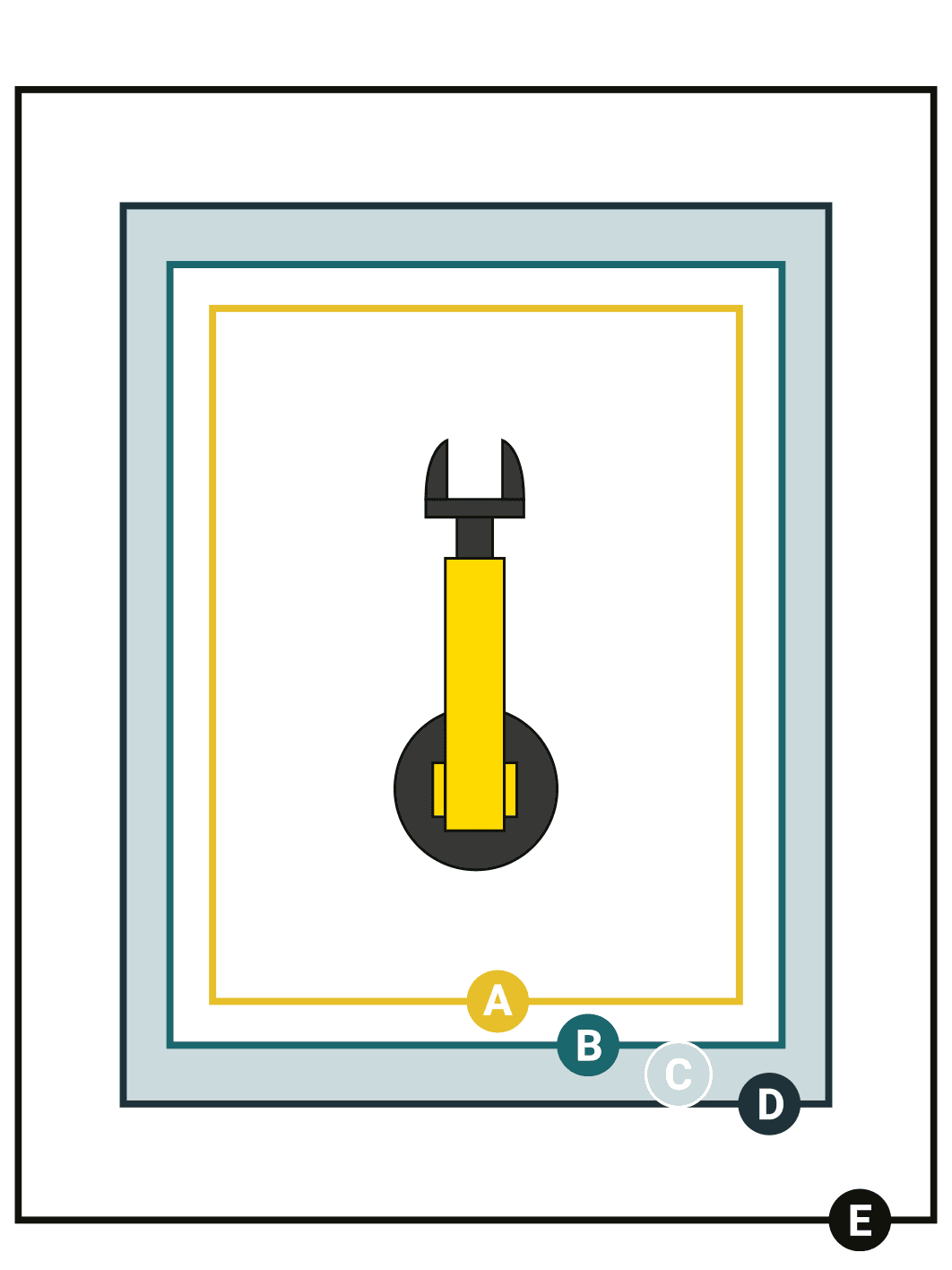
This infographic illustrates how to think critically about safety distances for industrial robots. Learn why guard fencing matters, how accidents occur, and when fences might not be the only solution. Discover the key considerations to keep people safe around robots.